

# Aliases in Hand2Note
An alias is a set of usernames that are treated as a single player. For example, if you have multiple usernames on a single poker site, you may want to combine them all together.
Note. Current implementation of Aliases in Hand2Note Beta is temporary. We are going to rework aliases in the next updates.
# Create an alias
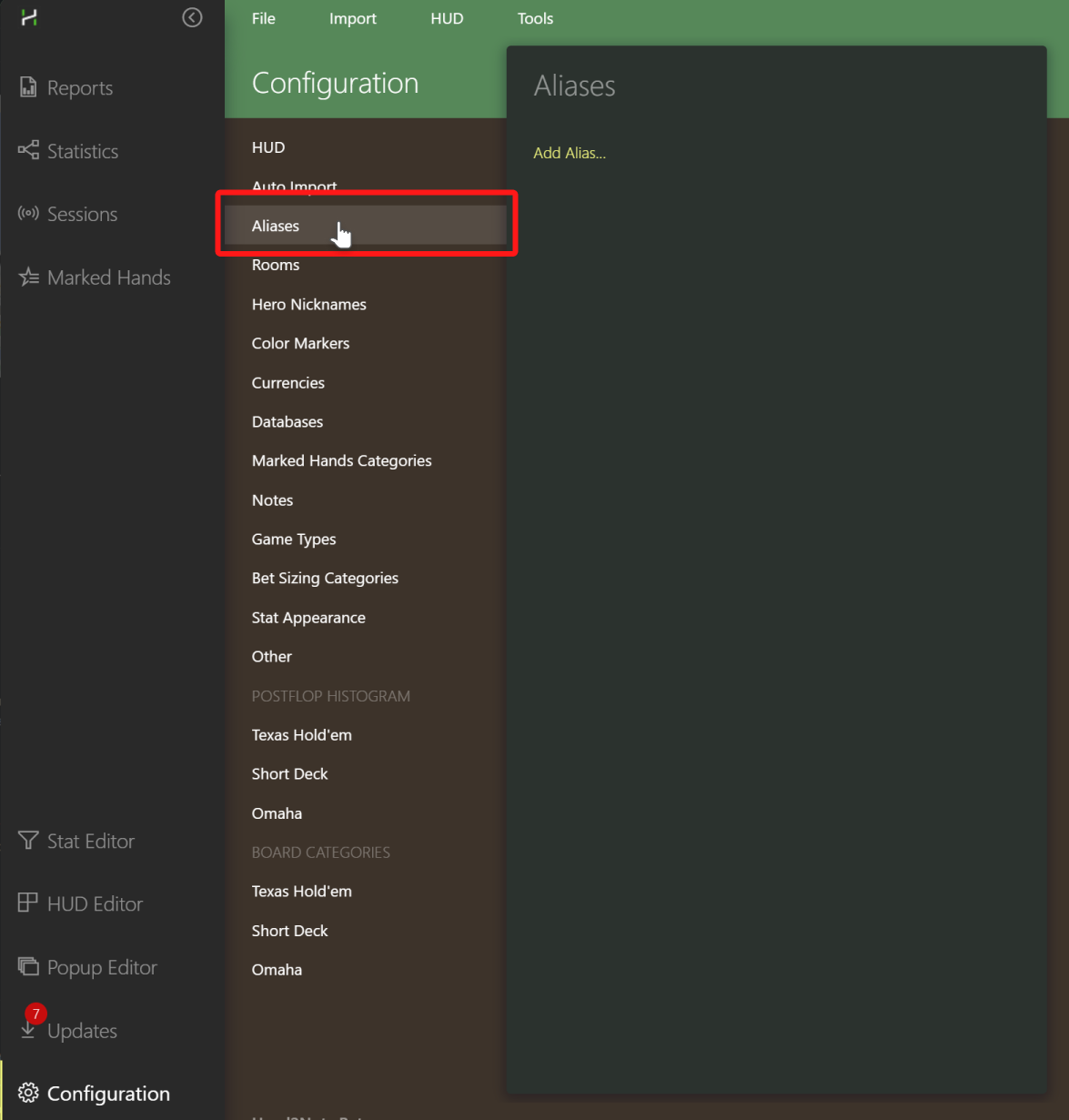
1. Go to Configuration → Aliases.
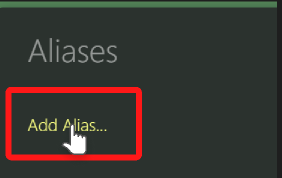
2. Click “Add Alias…”.
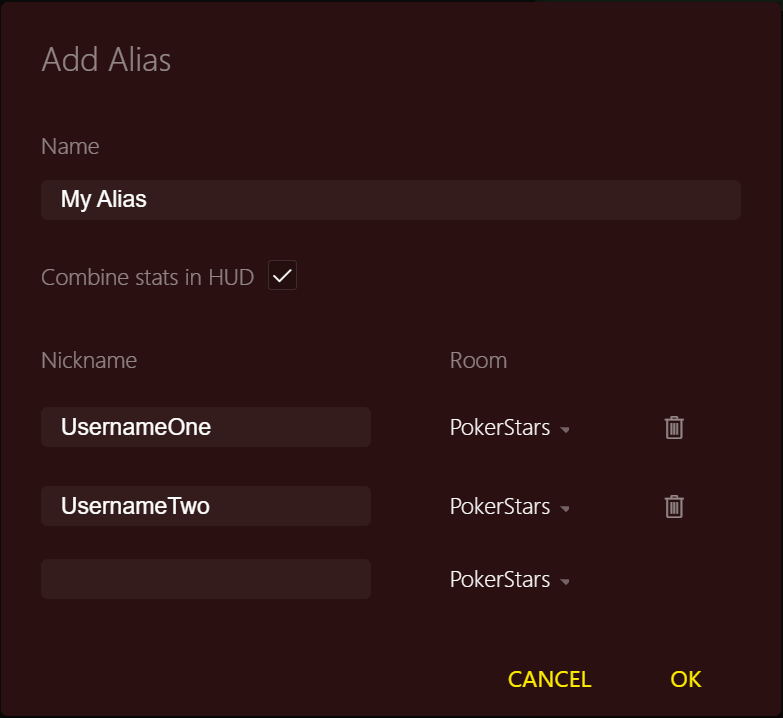
3. Add usernames and rooms to the alias.
FAQ. What does the option Combine Stats In HUD mean?
If checked, Hand2Note will aggregate the stats of all usernames in the alias and show them in the HUD for each player in the alias. As a rule of thumb, check this option for aliases that contain usernames of a single person. Conversely, uncheck it if the alias contains usernames of multiple people.
If checked, Hand2Note will aggregate the stats of all usernames in the alias and show them in the HUD for each player in the alias. As a rule of thumb, check this option for aliases that contain usernames of a single person. Conversely, uncheck it if the alias contains usernames of multiple people.
Advanced Hand2Note users utilize aliases in Multi-Player reports. They handpick players with similar playing styles and group them into aliases. Then, they study these players' stats in the Reports and Statistics tabs. In upcoming updates, we'll rework the aliases feature to better support this exact scenario. Stay tuned!


