

What’s New in Hand2Note 4.1.262?

We’ve focused on bug fixes in this update, but also added a few things you’ve been asking for—including postflop diagram settings.
# Custom Tournament Level Ranges
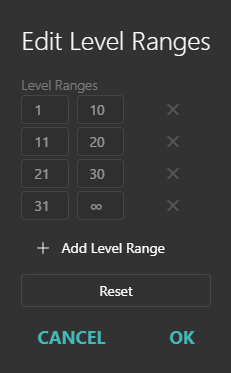
The Tournament Level report now supports custom ranges. Group levels into ranges such as 1–10, 11–20, and 21+ to compare results across tournament stages.
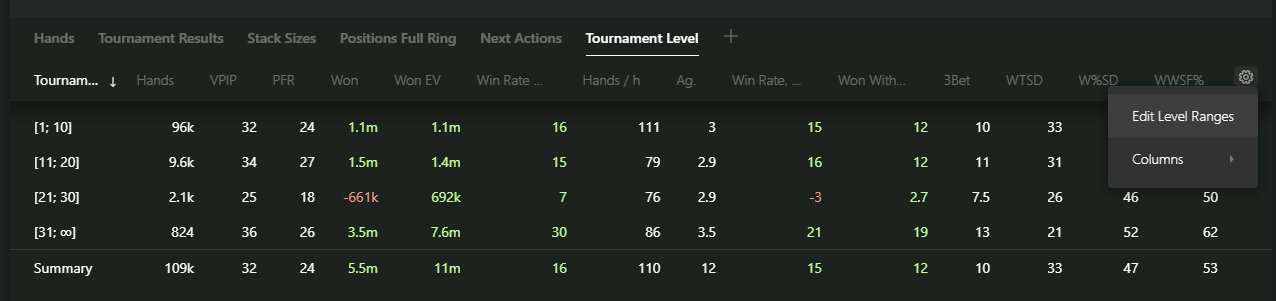
Open the report menu and select Edit Level Ranges to set up your groups.
# Postflop Diagram Settings
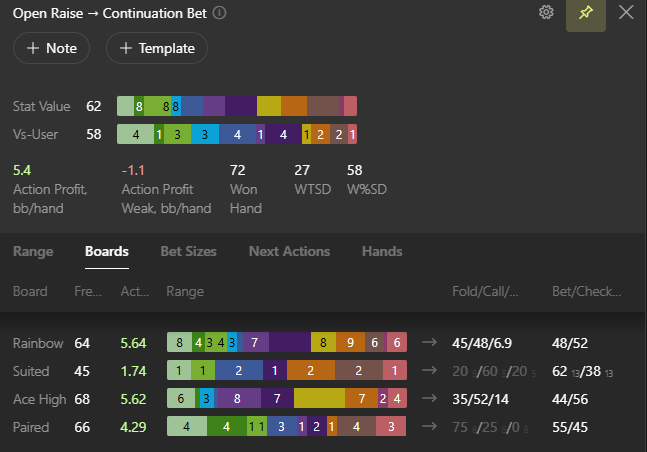
Some of you have been waiting for these settings since the Hand2Note 4.0 Beta. They’re finally available in Configuration → Postflop Diagram.
Choose whether to show hand counts or percentages, set the sample size threshold below which counts are shown, and adjust other display options for diagrams in the stat popup.
# Color Range Templates for Stats
We’ve added Color Range Templates to the HUD and Popup Editors. Set up your colors and thresholds once, then reuse the template across multiple stats.
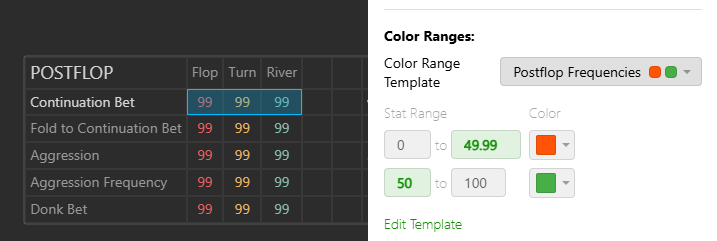
When you edit a template, Hand2Note updates the colors for every stat that uses it.
# Export Hands from Statistics
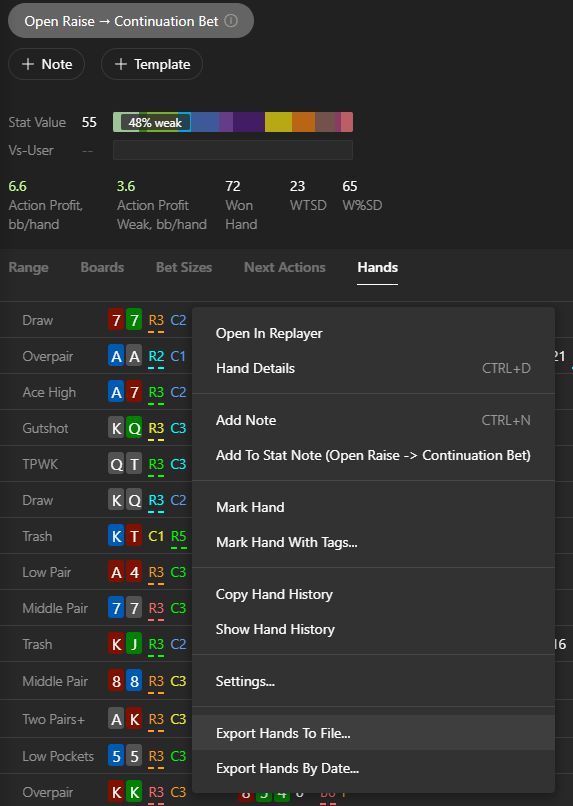
You can now export hands directly from a stat popup in Statistics, without opening Reports.
# Add Filtered Players to an Alias
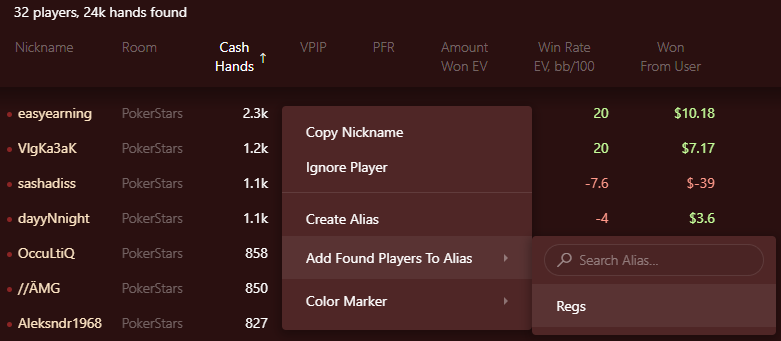
A new option in the player list lets you add all players who match your filters to an existing alias.
Right-click the list, select Add Found Players To Alias, and choose an alias.
# Phenom Poker Hand Imports
Hand2Note now imports Phenom Poker hand histories in their original format, with no converters needed. Import your hands to review your play and track your results.

# Other Fixes and Improvements
- Added support for importing PokerStars on Betfair hands.
- Fixed dashboards getting stuck while building in Statistics with certain configurations and hands.
- Fixed diagrams not working with the Omaha Family game type.
- Fixed preferred seat settings not working for Unibet.
- Hand Details now shows showdown winnings in big blinds when Show Big Blinds is enabled.
- Fixed PLO hand imports failing after converting a Hand2Note 3 configuration.
- Made other minor fixes and improvements.
# Read Also
# What’s New in Hand2Note 4.1.262?
We’ve focused on bug fixes in this update, but also added a few things you’ve been asking for—including postflop diagram settings.
# Custom Tournament Level Ranges
The Tournament Level report now supports custom ranges. Group levels into ranges such as 1–10, 11–20, and 21+ to compare results across tournament stages.
Open the report menu and select Edit Level Ranges to set up your groups.
# Postflop Diagram Settings
Some of you have been waiting for these settings since the Hand2Note 4.0 Beta. They’re finally available in Configuration → Postflop Diagram.
Choose whether to show hand counts or percentages, set the sample size threshold below which counts are shown, and adjust other display options for diagrams in the stat popup.
# Color Range Templates for Stats
We’ve added Color Range Templates to the HUD and Popup Editors. Set up your colors and thresholds once, then reuse the template across multiple stats.
When you edit a template, Hand2Note updates the colors for every stat that uses it.
# Export Hands from Statistics
You can now export hands directly from a stat popup in Statistics, without opening Reports.
# Add Filtered Players to an Alias
A new option in the player list lets you add all players who match your filters to an existing alias.
Right-click the list, select Add Found Players To Alias, and choose an alias.
# Phenom Poker Hand Imports
Hand2Note now imports Phenom Poker hand histories in their original format, with no converters needed. Import your hands to review your play and track your results.
# Other Fixes and Improvements
- Added support for importing PokerStars on Betfair hands.
- Fixed dashboards getting stuck while building in Statistics with certain configurations and hands.
- Fixed diagrams not working with the Omaha Family game type.
- Fixed preferred seat settings not working for Unibet.
- Hand Details now shows showdown winnings in big blinds when Show Big Blinds is enabled.
- Fixed PLO hand imports failing after converting a Hand2Note 3 configuration.
- Made other minor fixes and improvements.


