

# Why Exclude Reg-vs-Fish Hands from Statistics?
A common belief in poker is that bigger samples always lead to more accurate statistics. That is usually true, but there is one important exception. In this article, I'll show how Hand2Note can improve the accuracy of your statistics.
Poker players are often divided into two groups:
- regulars (regs) — players who play poker regularly and aim to make a profit;
- recreational players (fish) — players who tend to make weaker or less predictable decisions.
Here’s the exception: many regulars play differently against recreational players than they do against other regs. Mixing these hands into the same sample can actually make their statistics less accurate.
Table of Contents:
Automatically Excluding Reg-vs-Fish Hands
Creating Separate Stats for Regs and Fish
# General Statistics
Most poker trackers combine all hands into a single sample. Here's a simple example of how this can affect player statistics.
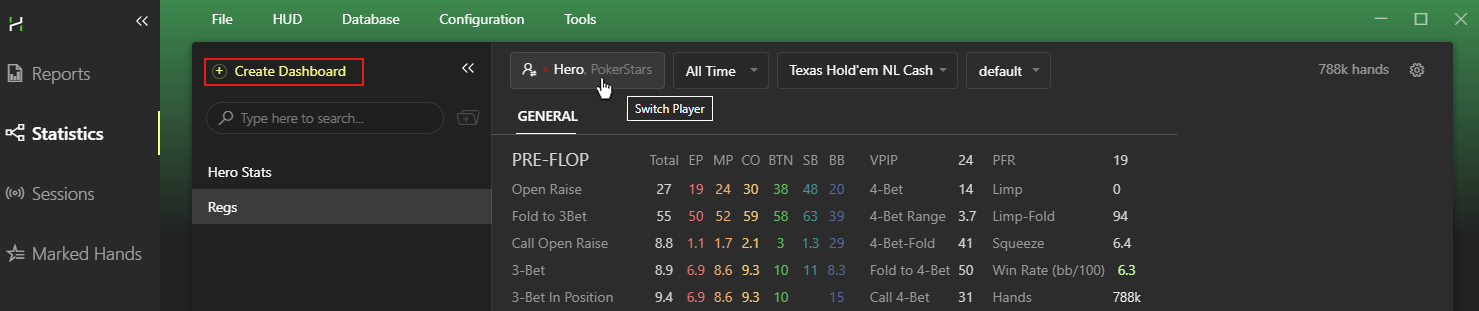
Open the Statistics section and take a look at how regulars play on average.
Use the Multiple Players tab to filter players by a few criteria:
- at least 5,000 hands;
- not a recreational player;
- and only include winning players with a win rate of at least 3 bb/100.
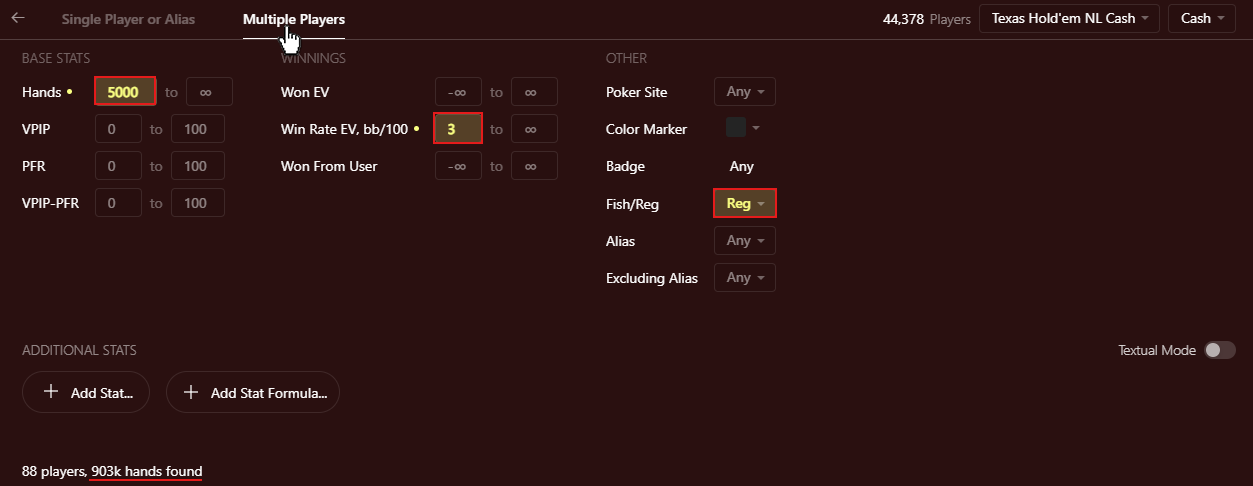
These filters leave us with almost one million hands. At first glance, that seems more than enough for analysis.
But does this sample really show how regs play against other regs?
To answer that, we'll look at the 4-Bet stat.
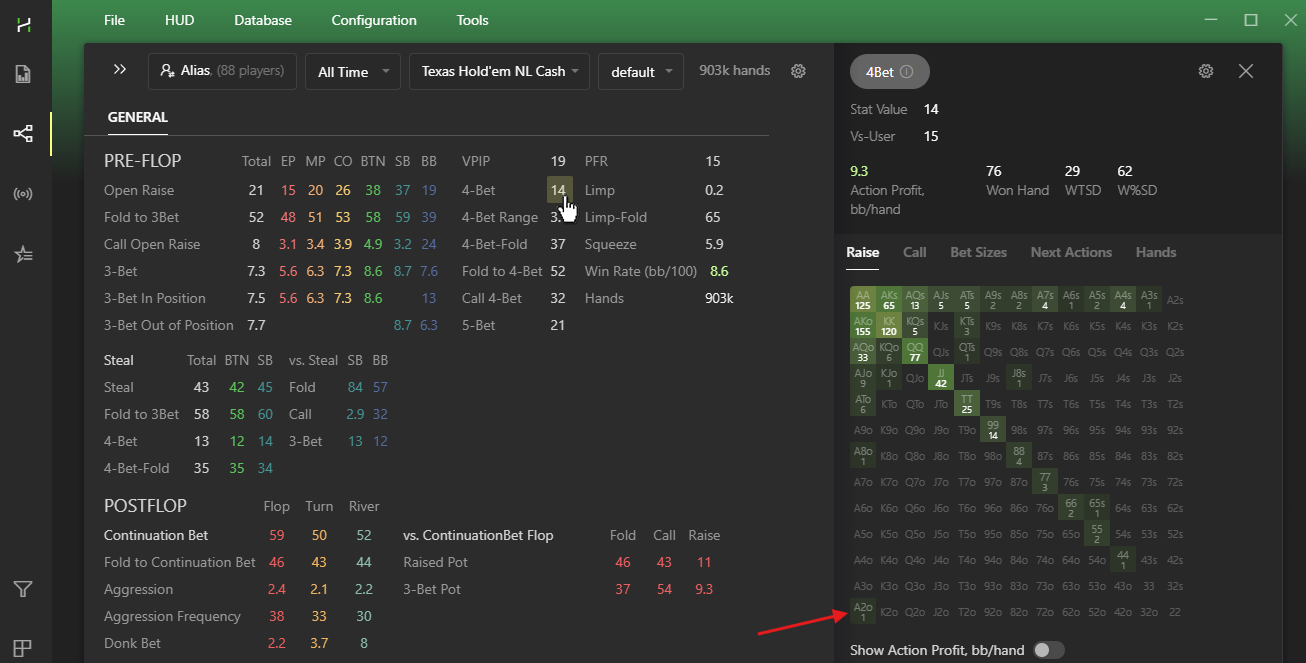
Looking at the hand matrix, you'll notice some fairly weak hands, such as A2o.
It's hard to imagine a winning reg frequently 4-betting A2o against another reg, so let's take a closer look at one of these hands.
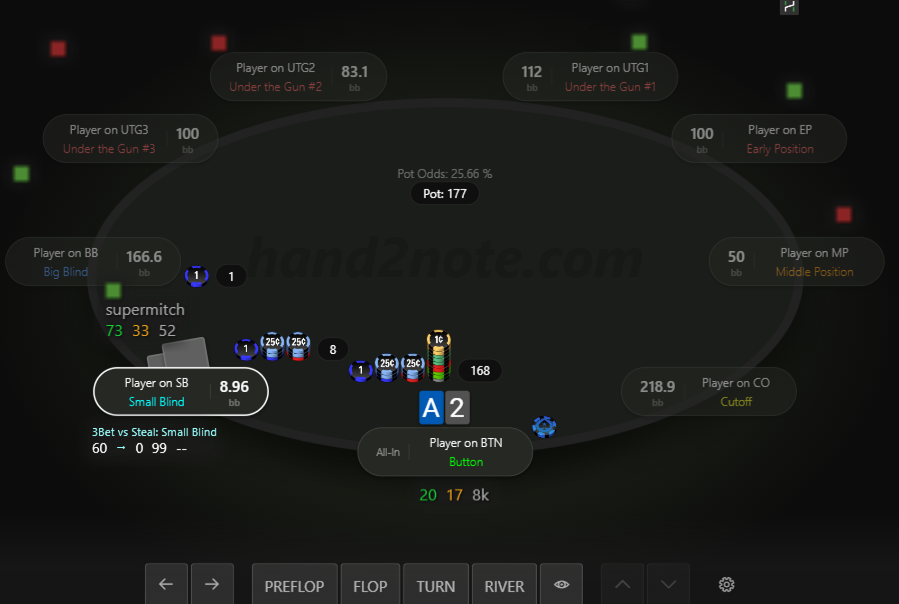
Hands like this end up in the overall sample, even though you rarely see spots like this between two regs.
So what happens if we remove them from the sample?
# Automatically Excluding Reg-vs-Fish Hands
The easiest way to make your statistics more accurate is to exclude hands played against recreational players.
To do this, click Database → Clean & Rebuild Statistics.
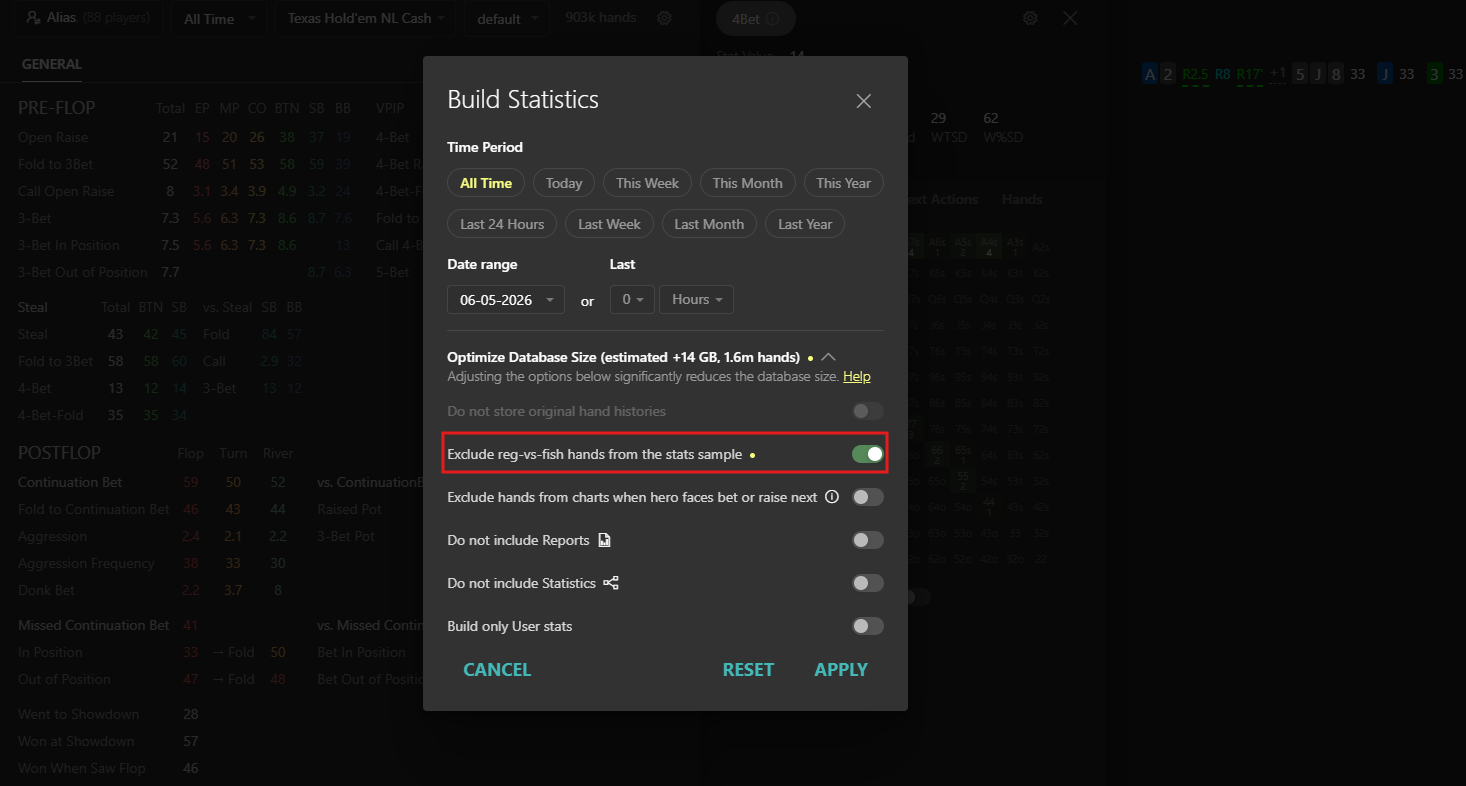
Once the rebuild is complete, open the 4-Bet stat again.
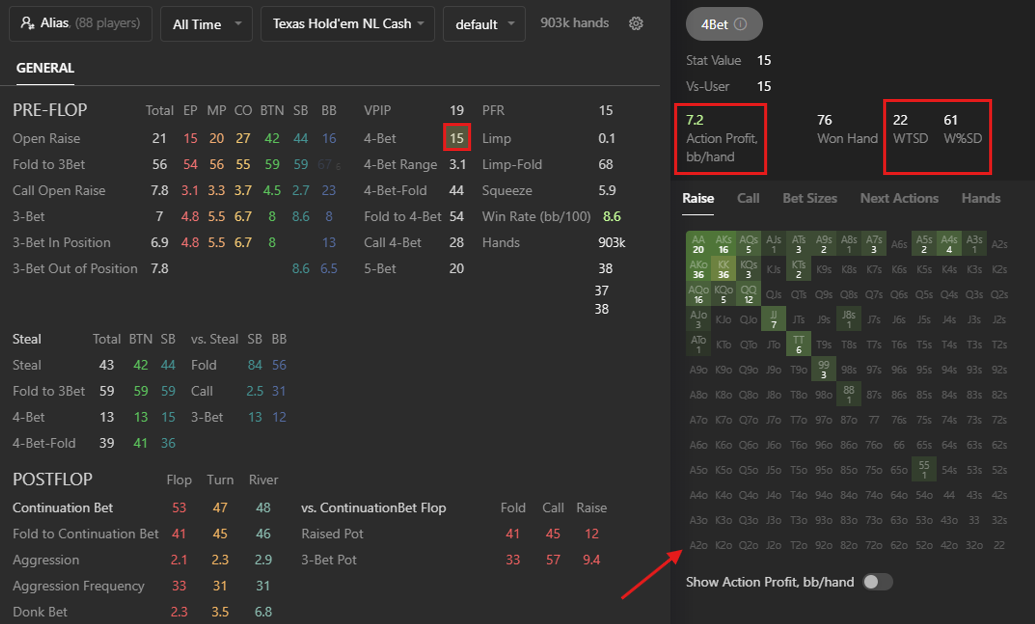
As expected, A2o disappears from the sample. But the hand ranges are not the only thing that changes.
Several key numbers change as well:
- 4-Bet: 14 → 15;
- WTSD (how often a player reaches showdown after 4-betting): 29 → 22;
- Action Profit: 9.3 → 7.2.
The result looks much closer to how regs actually play against other regs.
It does not affect results in the Reports or Sessions sections.
# Creating Separate Stats for Regs and Fish
At the same time, hands against recreational players can be very useful.
They often show how a reg plays differently against recreational players.
There are plenty of examples, but let's look at one of the most common situations: a recreational player limps, and a reg raises.
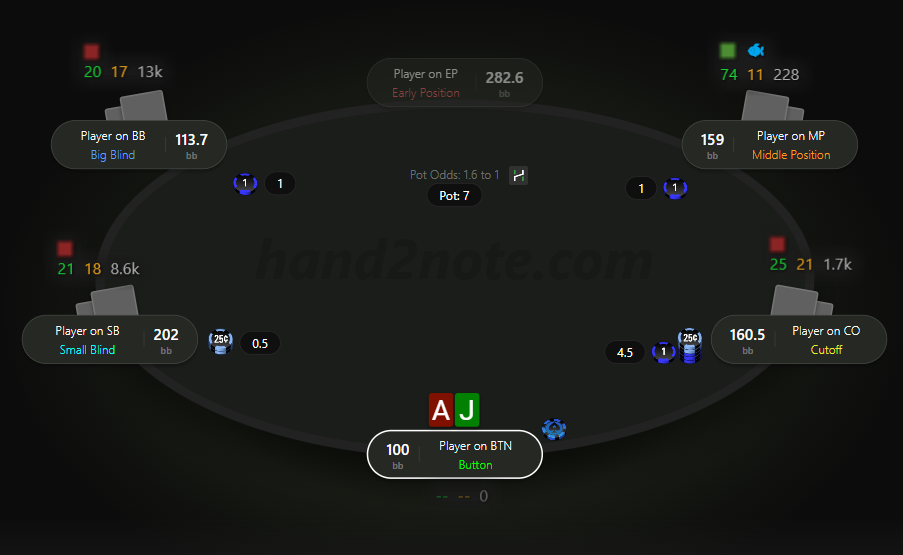
You can create a separate stat for these situations and display it in a HUD or popup.
In the Stat Editor, simply specify that the action is taken against a recreational player.
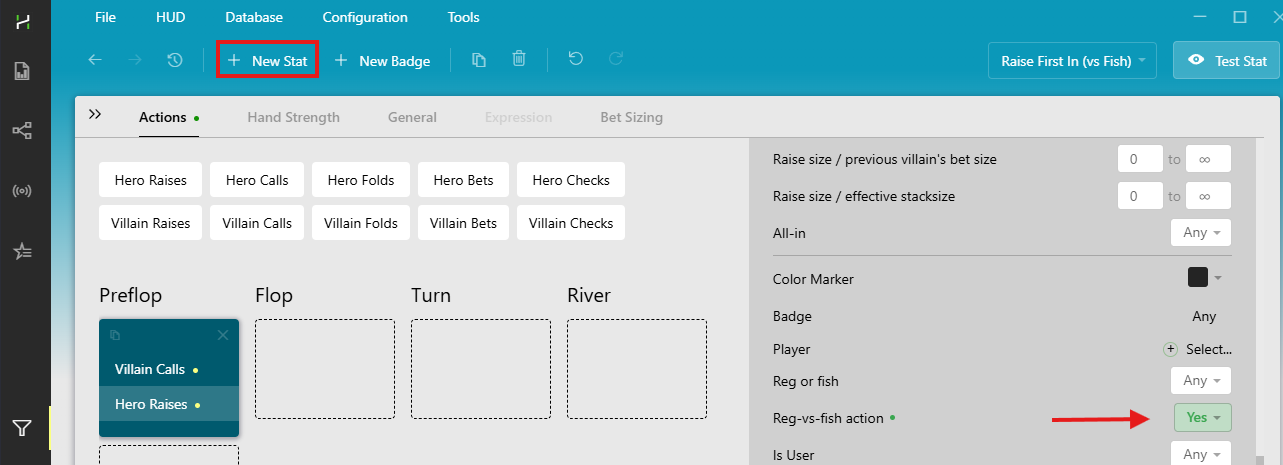
Now let's compare how often a player isolation-raises against regs and recreational players.
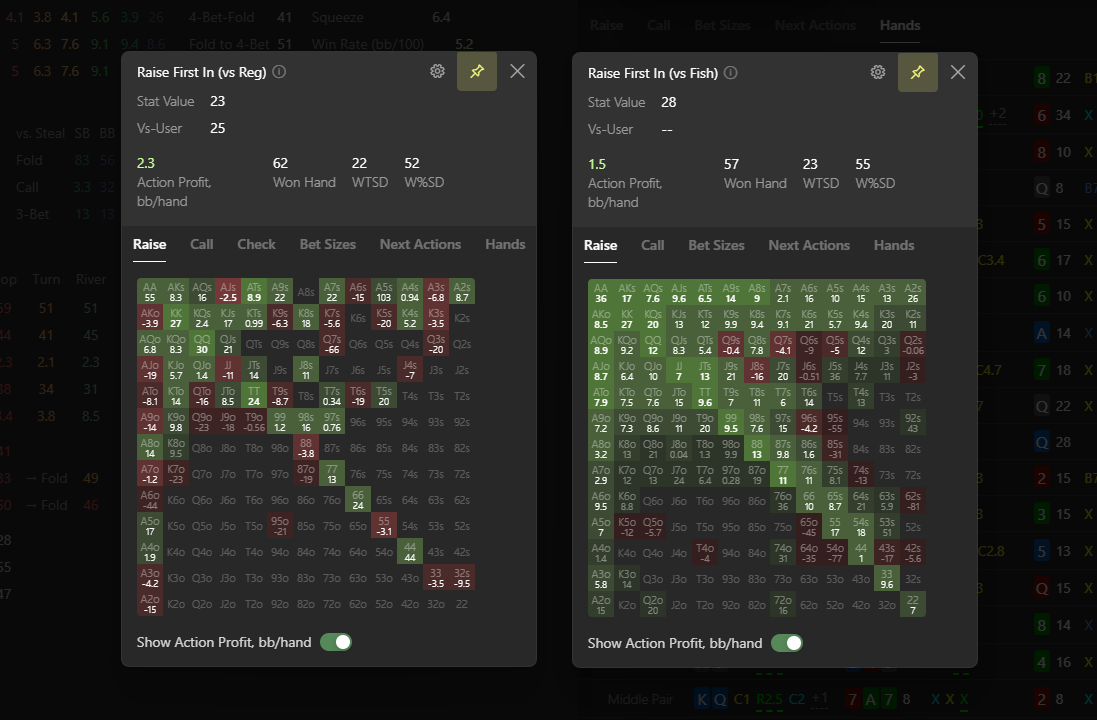
The difference goes beyond the stat itself — 23% versus 28%. The hand ranges change as well.
Action Profit also tells a different story. Some raises that perform well against recreational players can be much less profitable against regs.
You can use the same approach to create separate stats for 3-bets, folds to 4-bets, and any other action against different player types.
# Reports Against Regs and Fish
Hand2Note's filters make it easy to compare how you play against different types of opponents.
In this example, we'll compare our play against regs and recreational players in 3-bet pots.
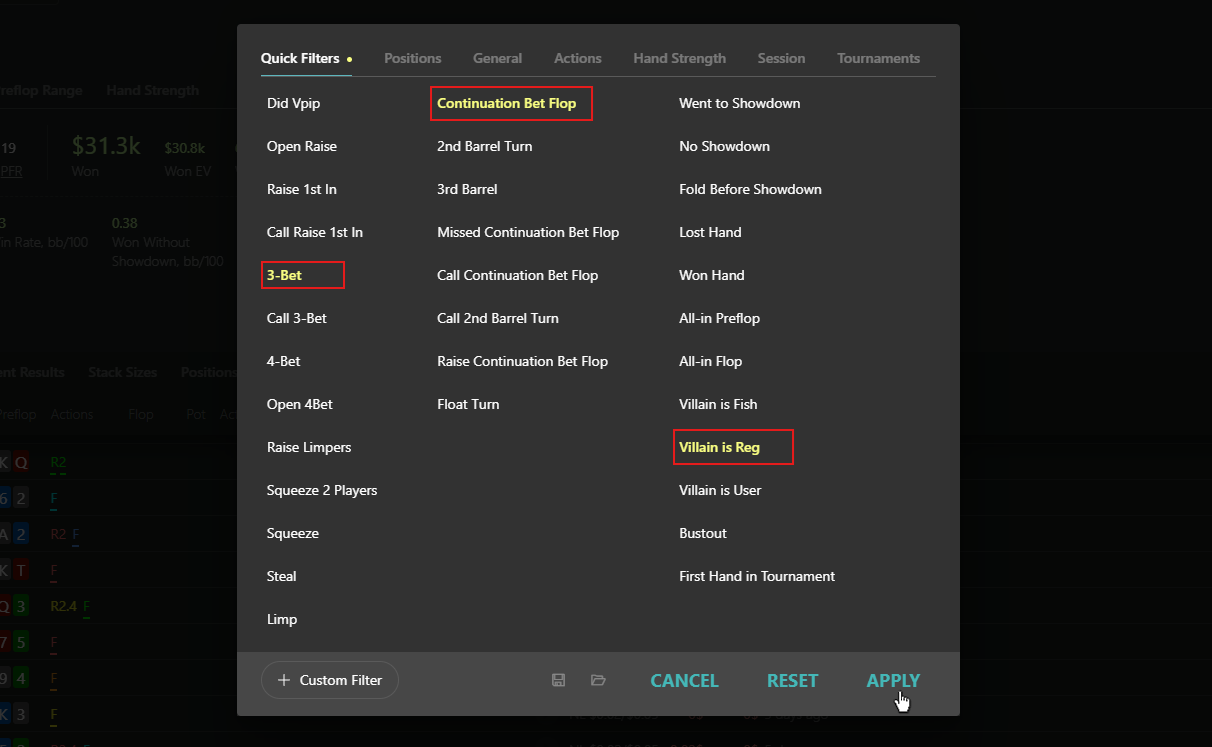
Start by adding a few basic filters.

Select 3-Bet, Continuation Bet Flop, and set the Villain type to Reg.
Next, open the Bet Sizing report.
This report shows which bet sizes you use, how often you use them, and how profitable they are.
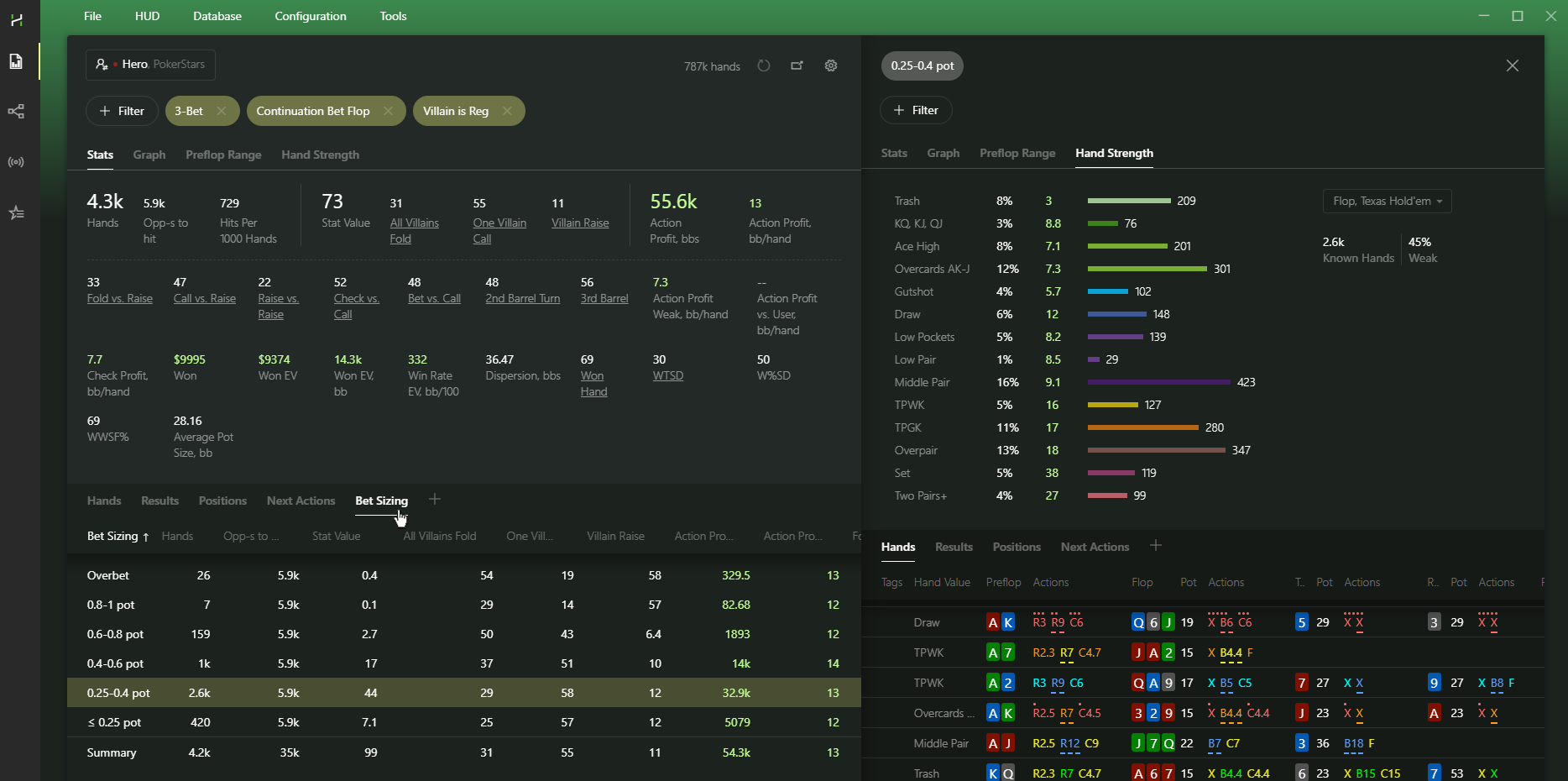
Here are a few things you can look at:
- which bet sizes perform best;
- whether weaker hands make money;
- whether your bluffs show a profit.
Pay special attention to Action Profit and how it changes across different bet sizes and hand groups.
Now let's compare the same situation against recreational players.
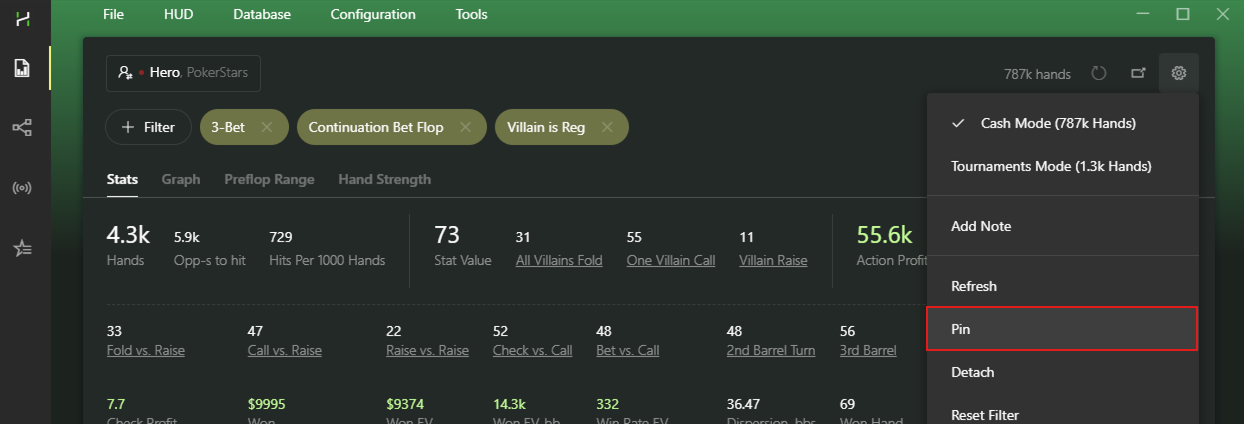
To keep both reports side by side, use the Pin option. Hand2Note will create a copy of the current report.
Now replace the Villain is Reg filter with Villain is Fish.
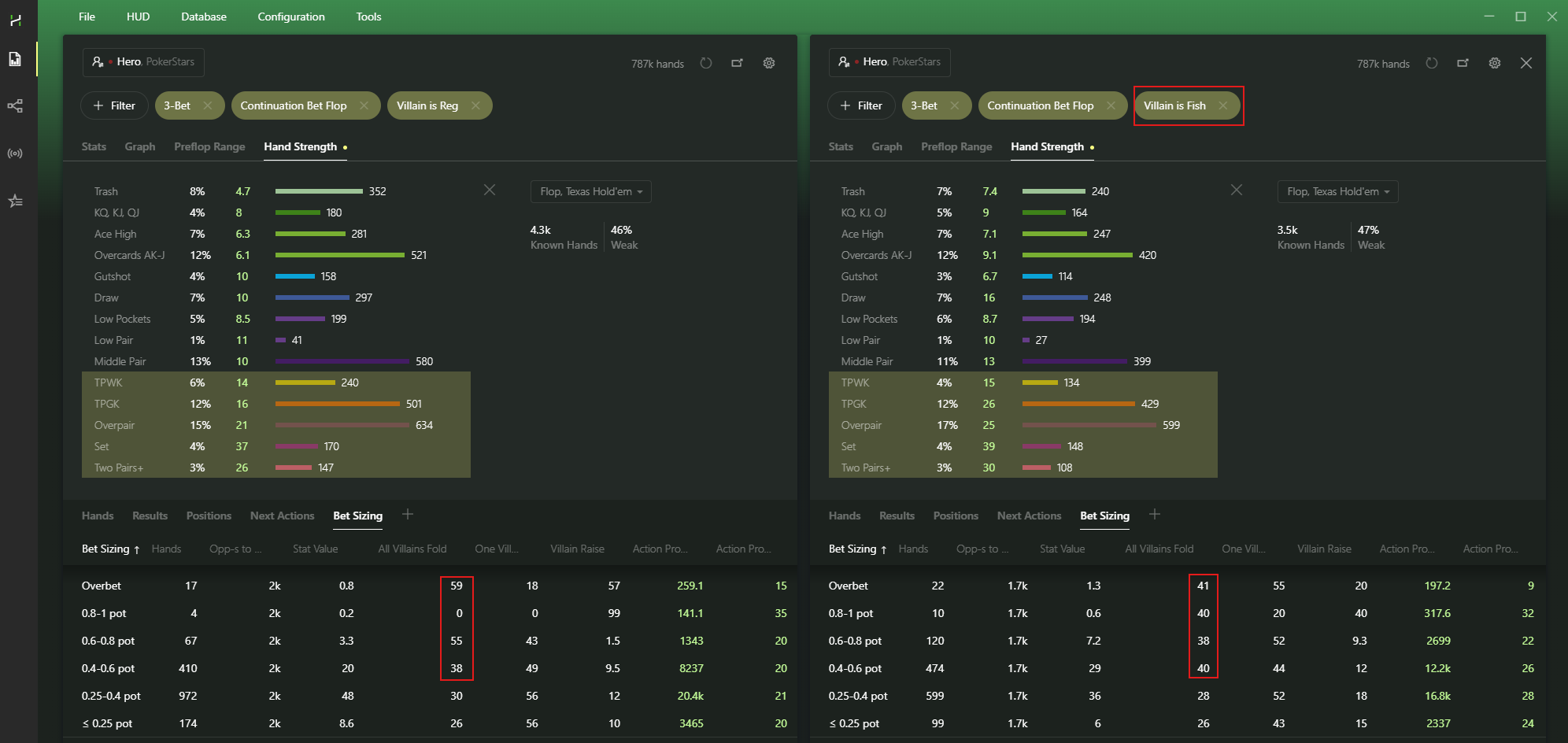
The difference is easy to spot. Recreational players tend to react very similarly to different c-bet sizes and continue with a wide range regardless of sizing.
Regs adjust much more often and fold significantly more against larger bets.
You can use the same approach to analyze other players, not just your own game.
# Frequently Asked Questions
Here are a few common questions about working with reg and fish statistics in Hand2Note.
# How does Hand2Note decide who is a reg and who is a fish?
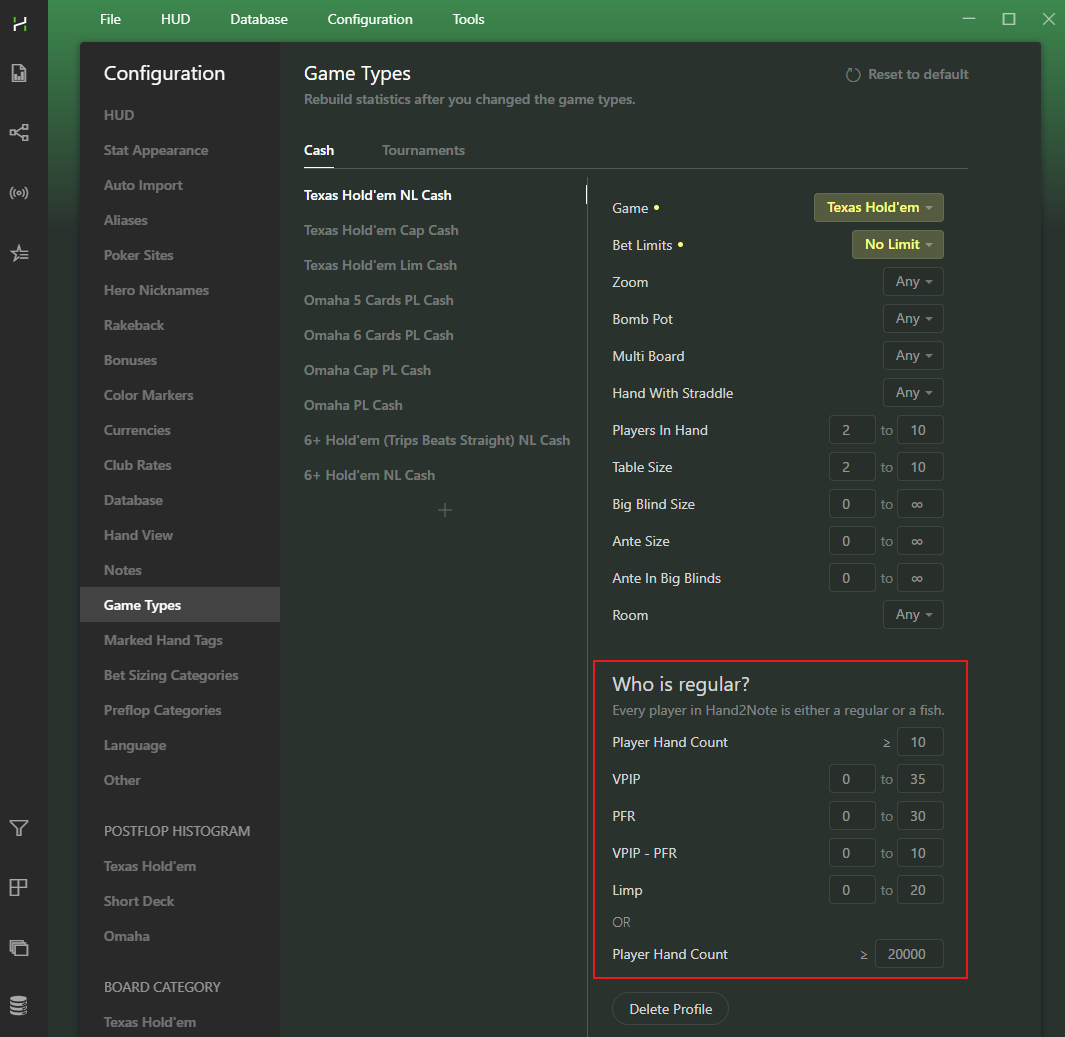
Hand2Note automatically classifies players based on the Who is Reg settings in Configuration → Game Types.
If a player meets the conditions you define, Hand2Note treats them as a reg. Otherwise, it treats them as a recreational player.
# Can I manually mark a player as a reg or a fish?
Yes. If the automatic classification is not enough, you can manually assign a player type using Color Markers.
Manual labels always override automatic settings.
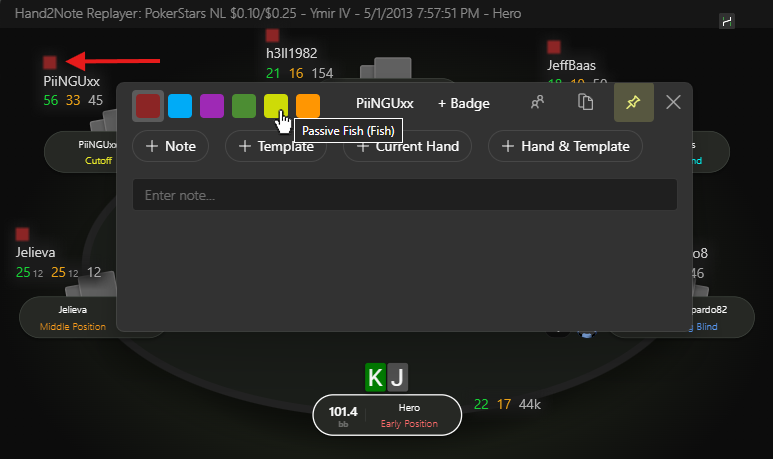
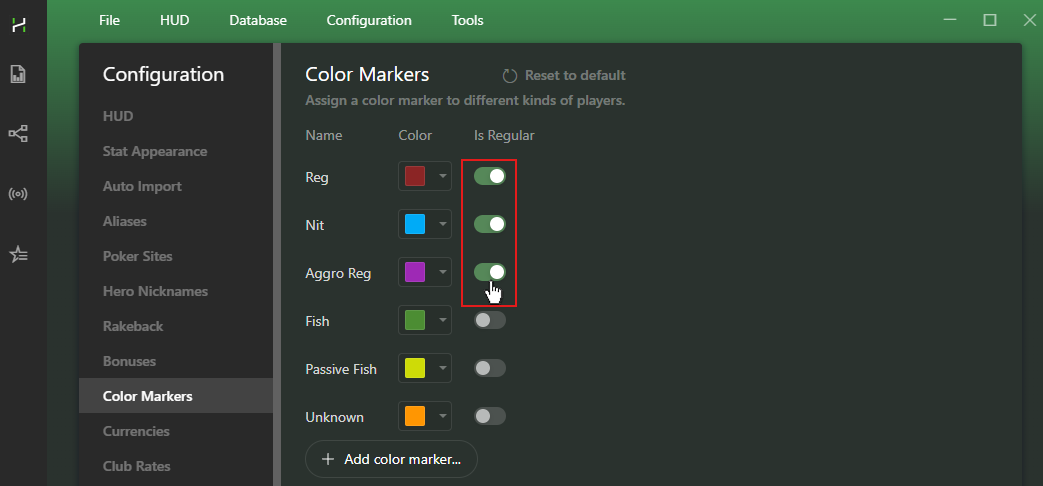
For example, if a player matches your Who is Reg rules but you mark them as a fish, Hand2Note will treat them as a fish.
You can configure player labels in Configuration → Color Markers.
# Can I use additional filters for the Who is Reg setting?
No. The Who is Reg setting supports only the built-in conditions available in Game Types.
If you need more control, use Aliases instead.
Create a group of players and assign a color marker to the entire group. Hand2Note will then treat all players in that Alias as either regs or fish.
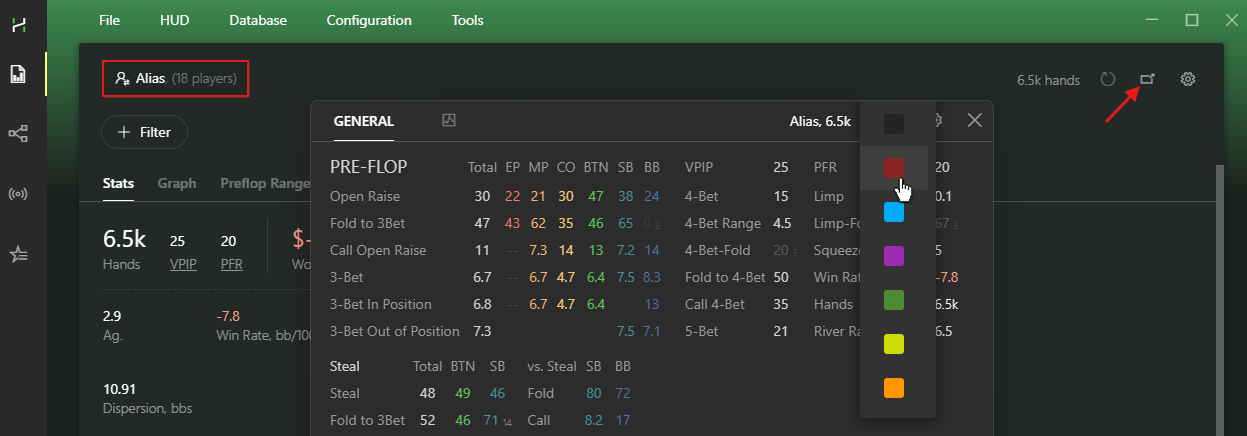
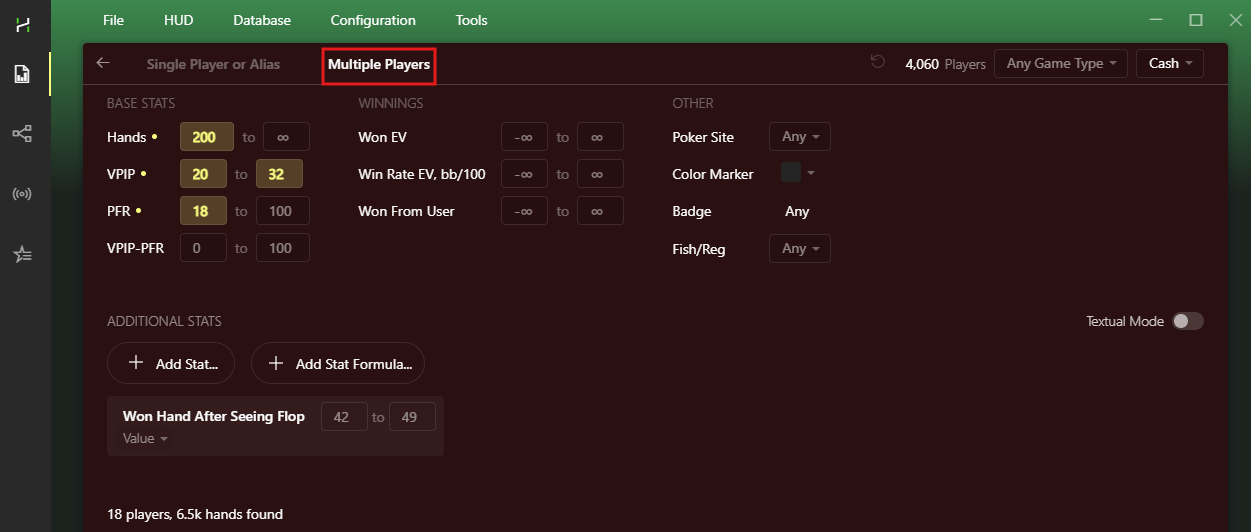
To build an Alias, use the filters available in the Multiple Players tab.
# Conclusion
Excluding reg-vs-fish hands gives you a much clearer picture of how regulars actually play against each other.
Separate stats and reports help you spot strategy adjustments against different player types and find new exploit opportunities.


